
Help for students
Everything you need to sell raffle tickets for the North Andover High School spring music trip, at raffle.northandovermusic.org.
1. How the raffle works
- Raffle tickets cost $25. Each ticket is entered in every remaining daily prize drawing in February.
- You get your own link and code. When someone buys tickets with them, the tickets count as your sales.
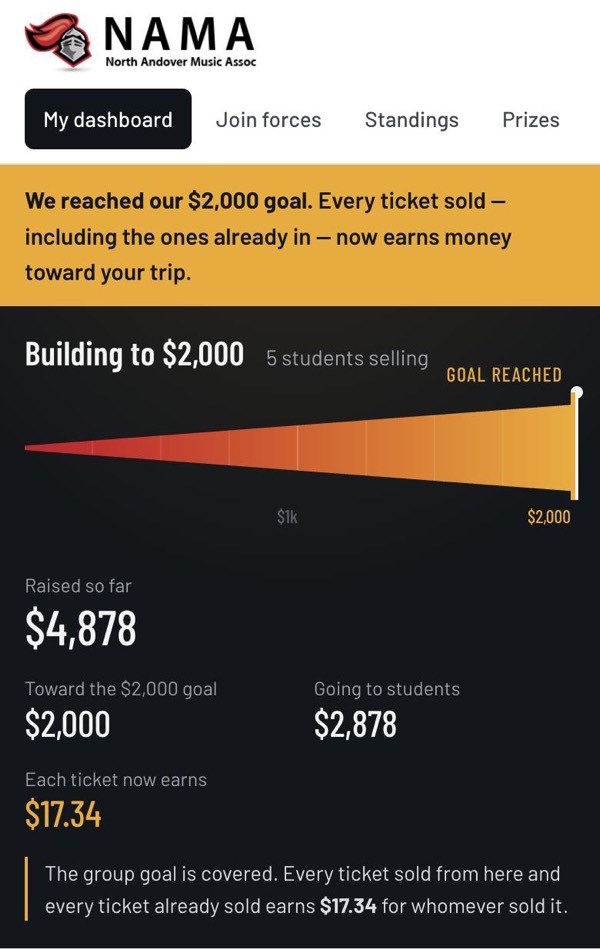
- The first money raised by everyone together pays for shared trip costs (this is the group goal). After the goal is reached, every ticket earns money toward the trip cost of the student who sold it.
- Your dashboard shows your sales and earnings, and updates on its own as tickets are sold.
2. Sign up
There is no password. You sign in with a link sent to your
school email (the one ending in
@northandoverpublicschools.com). Personal emails like Gmail
won’t work.
Step 1: Ask for a sign-in link
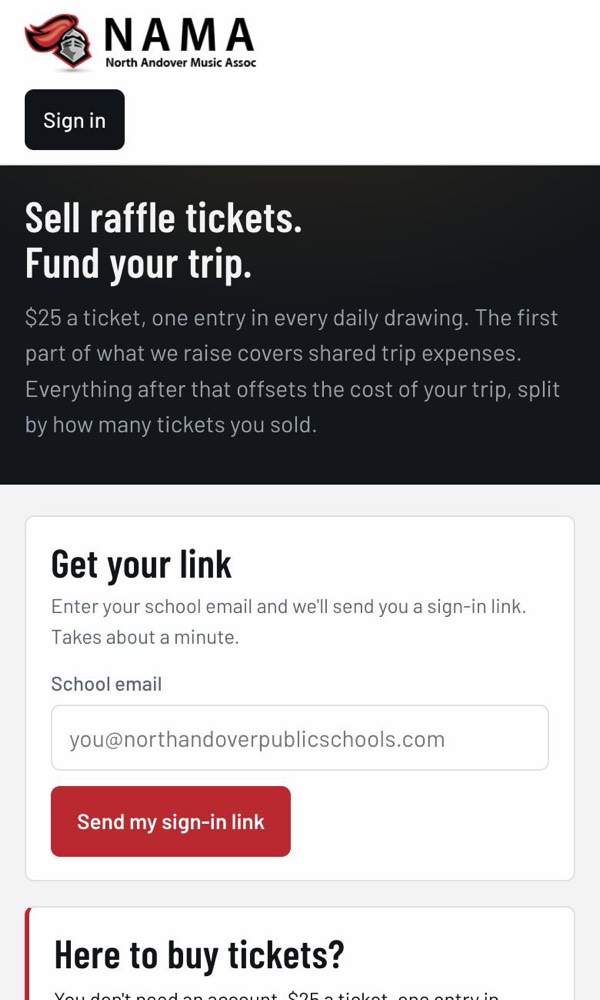
- Go to raffle.northandovermusic.org.
- Type your school email.
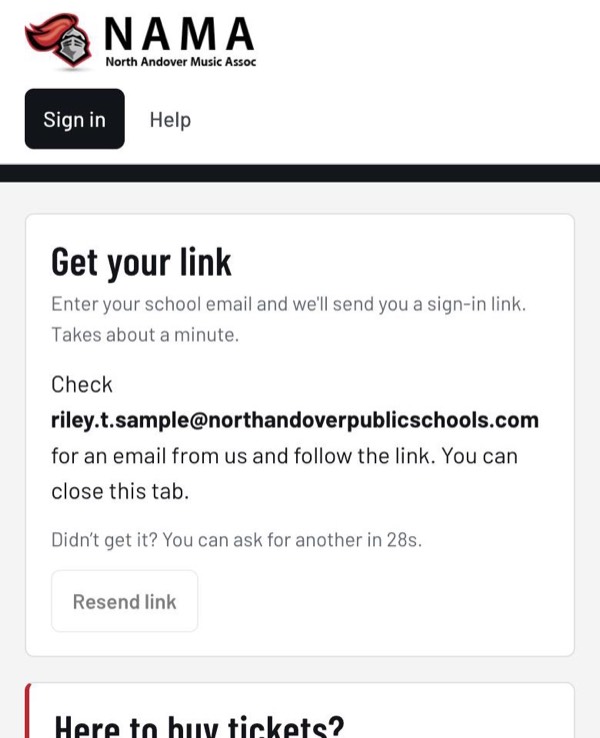
- Tap Send my sign-in link.
Step 2: Open the email
Open your school email and find the message from NAMA. Tap the button in the email. That signs you in.
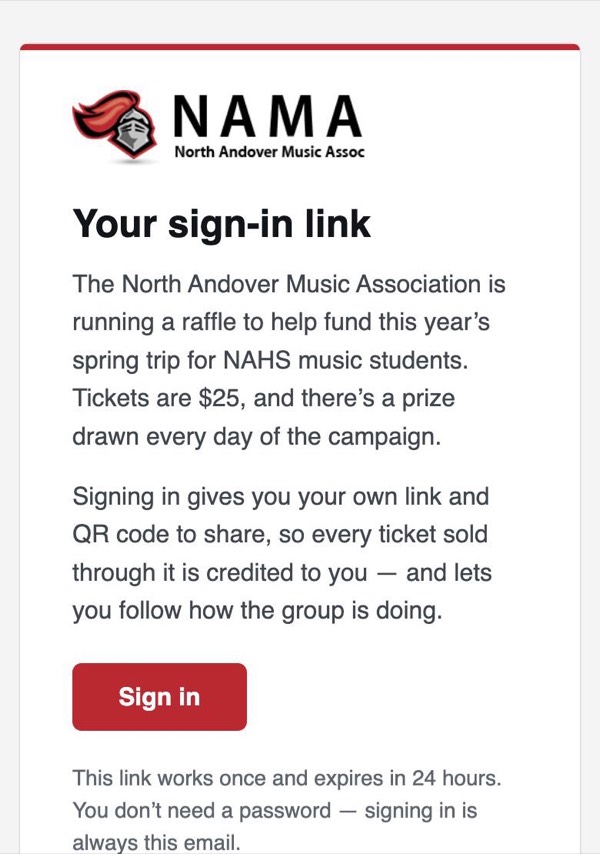
- The link works for 24 hours, and only once.
- Don’t see it after a minute or two? Check your spam or junk folder.
- Still nothing? Go back to the page and tap the button to send another one (you can after 30 seconds).
- You can open the email on a different device than the one you started on. You’ll be signed in on whichever device you open the link.
Step 3: Tell us about you
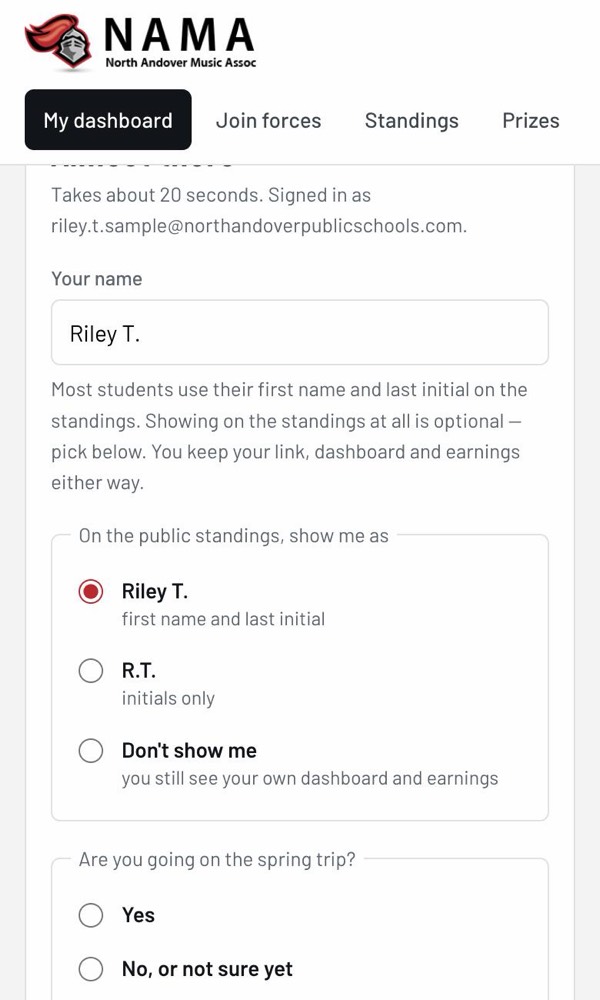
The first time you sign in, you fill out a short form. It takes about 20 seconds.
- Your name. Most students use their first name and last initial, like “Riley T.”
- How to show you on the public standings: your name, just your initials, or not at all. You keep your link, dashboard and earnings no matter which one you pick.
- Are you going on the spring trip? Pick Yes or No, or not sure yet. You can change this later.
- Tap Create my link.
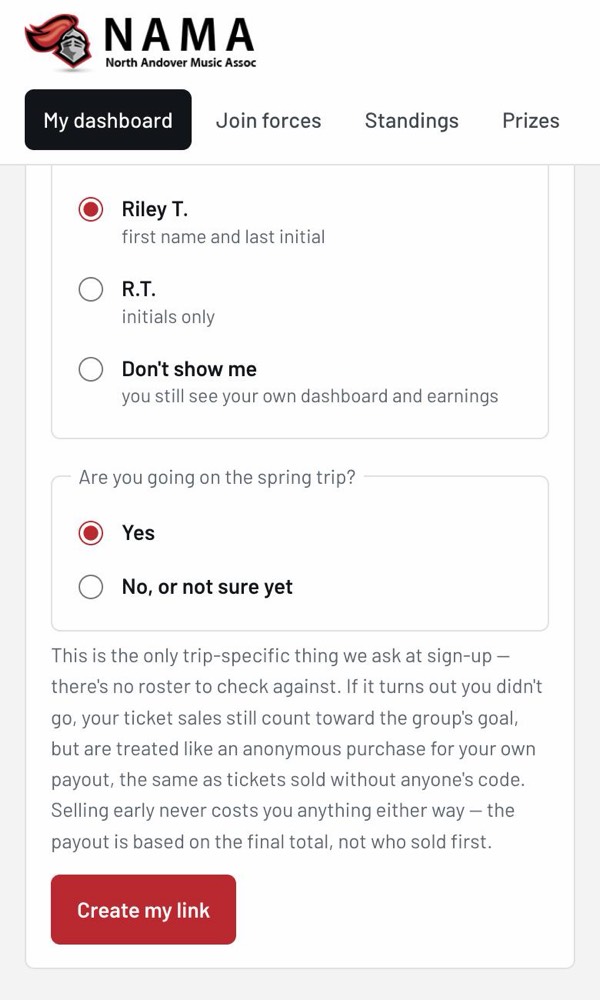
If you say you’re not going on the trip, your sales still help reach the group goal. They just don’t earn money for you, because there’s no trip cost to put it toward.
3. Sign in again later
Usually you stay signed in on your phone or computer. If you ever get signed out, or you use a new device, just do Step 1 and Step 2 again: enter your school email and tap the link in the email. Your link, sales and earnings will all still be there.
4. Share your link
Your dashboard shows your link at the top. Anyone who buys through it is buying from you. Share it with family, friends, neighbors, and anyone else who might want to help.
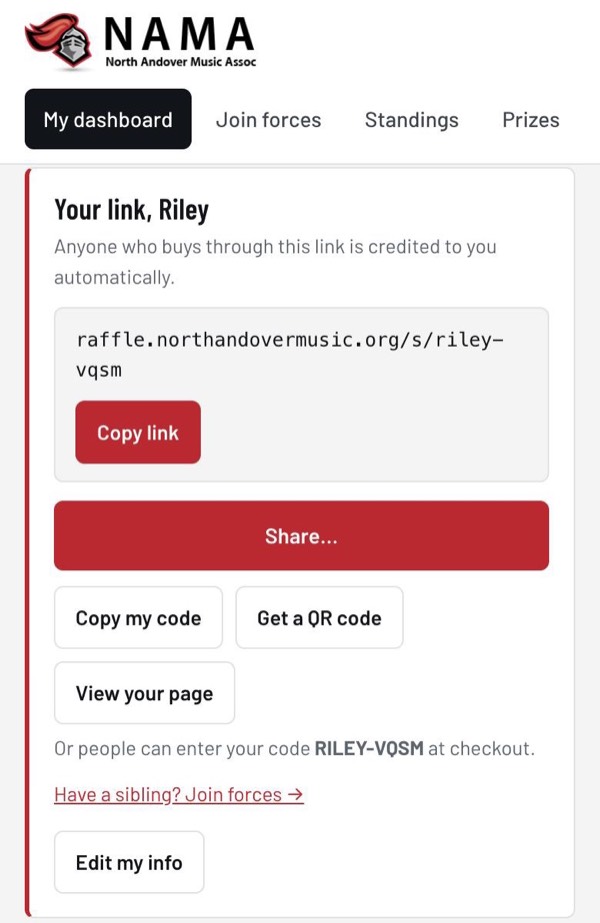
What each button does:
- Copy link copies your link so you can paste it into a text, email, or post.
- Share… opens your phone’s share menu (Messages, email, social apps and more).
- Copy my code copies your short code. Buyers can type it in at checkout instead of using the link.
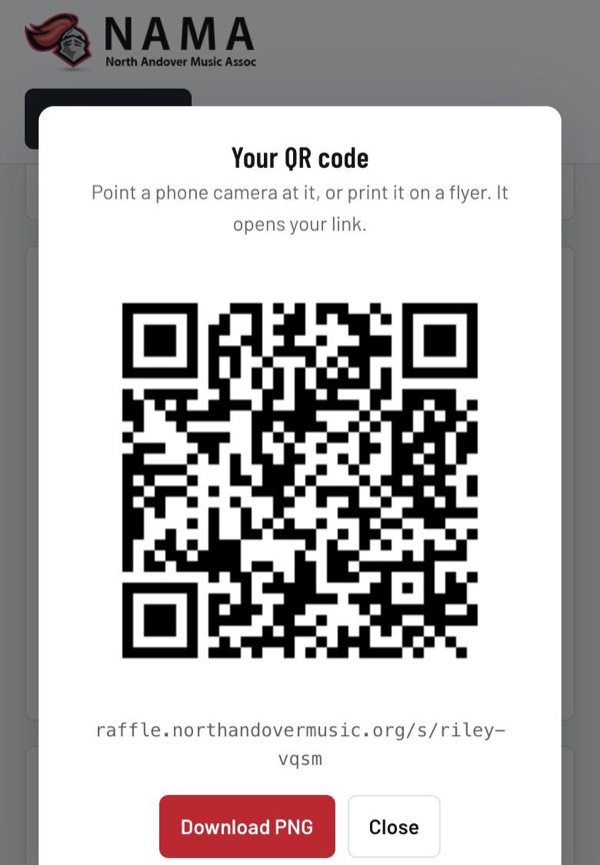
- Get a QR code shows a QR code for your link. Tap Download PNG to save it and put it on a flyer or poster.
- View your page shows the page buyers see when they open your link.
5. Your dashboard
Tap My dashboard at the top to see how the raffle is going and how you’re doing. It has three main parts.
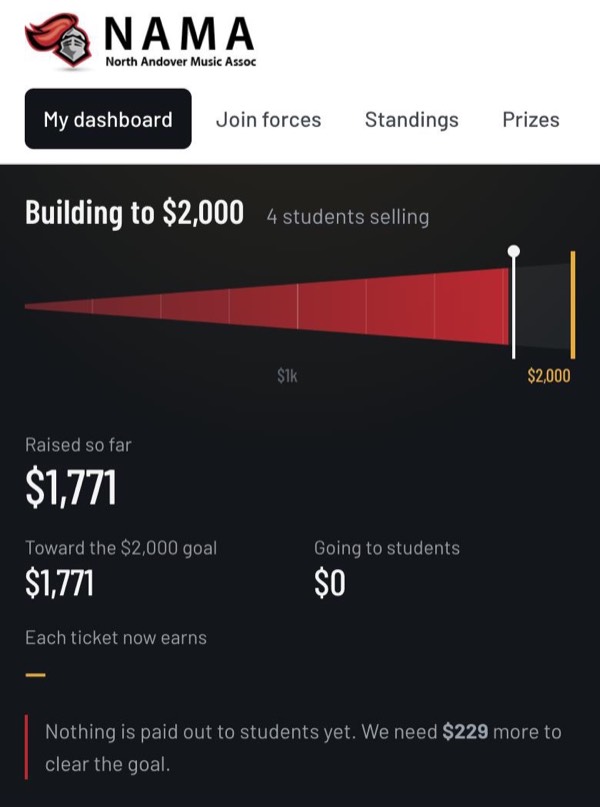
The group goal tracker
This shows how much everyone has raised together, compared with the group goal. Here’s how it looks before and after the goal is reached:
Your earnings
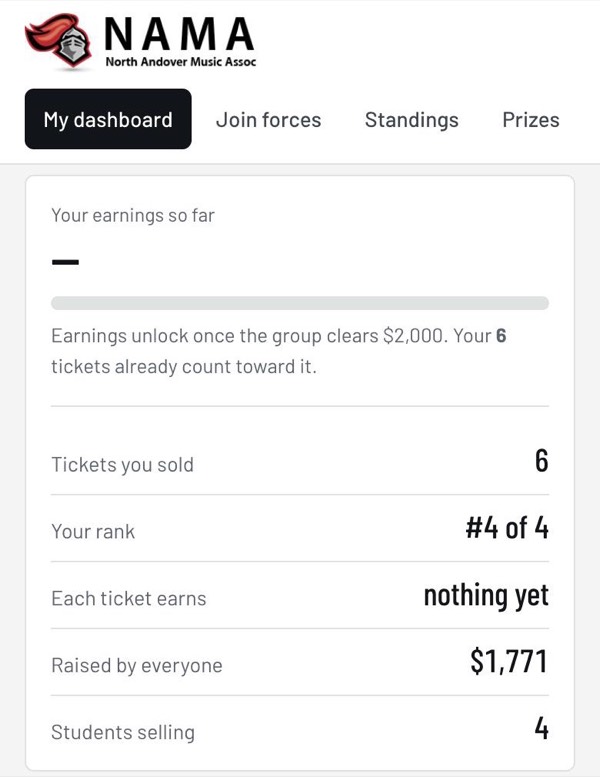
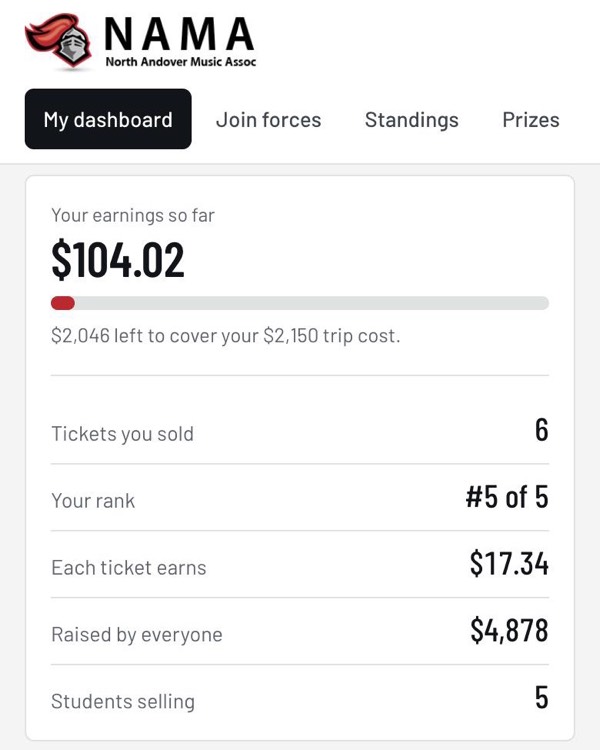
This card shows your own numbers: tickets you sold, your rank, how much each ticket earns, and your earnings so far.
Top sellers and recent sales
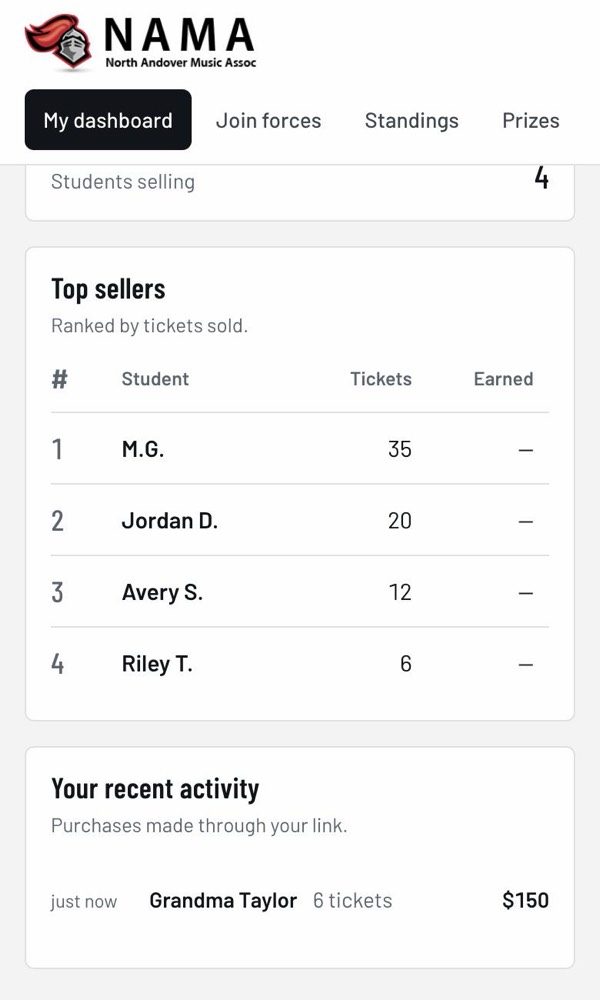
Lower down, you’ll see the top sellers and a list of your recent sales, so you know when someone bought through your link.
6. How your earnings work
- First, the group goal. The first money raised by everyone together pays for shared trip costs. Until then, nobody earns money toward their individual trip expenses, but every ticket you sell still counts for you.
- Then, every ticket earns the same amount. After the goal is reached, the extra money is split by tickets sold. Every ticket earns the same amount, including tickets sold before the goal.
- The amount per ticket keeps changing. As more tickets are sold by everyone, the amount each ticket earns goes up. Your earnings go up too, even on days you don’t sell anything.
- Earnings stop at your trip cost. Once your trip is fully paid for, anything more you sell helps students who haven’t reached theirs yet.
7. Standings and prizes
Standings
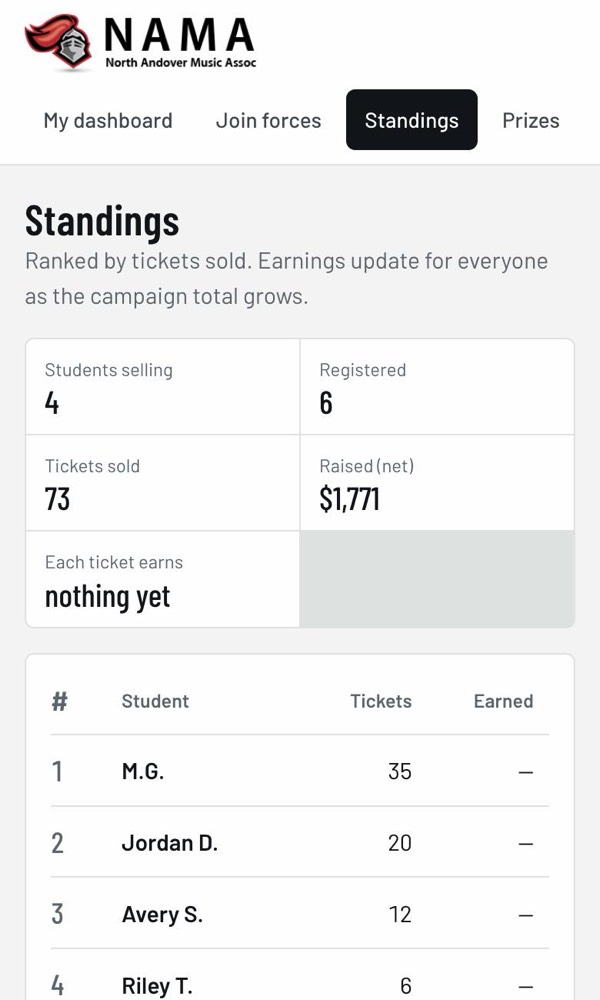
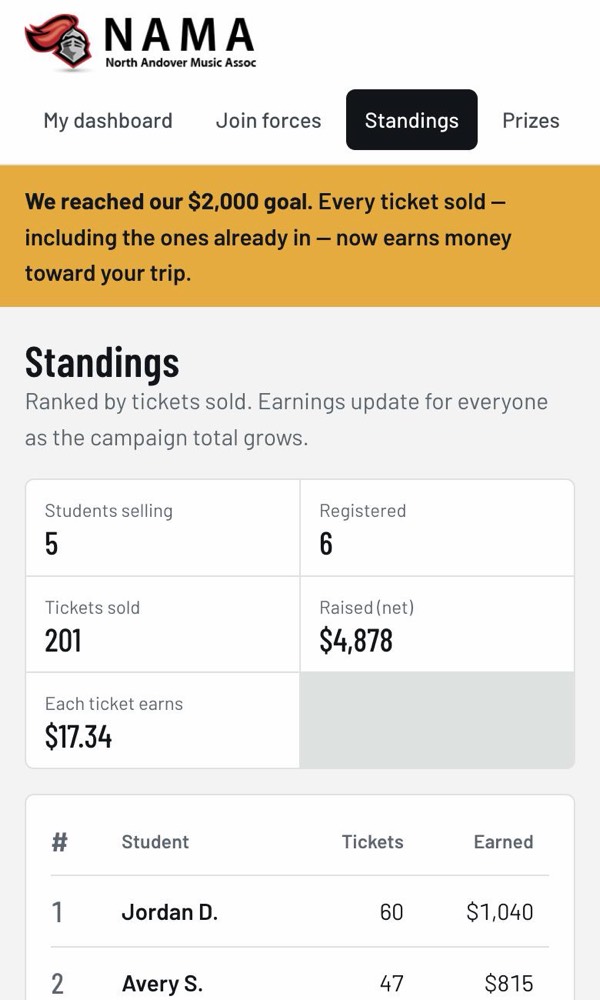
Tap Standings to see every student ranked by tickets sold, plus totals for the whole raffle. Students who chose not to be shown aren’t listed by name.
Prizes
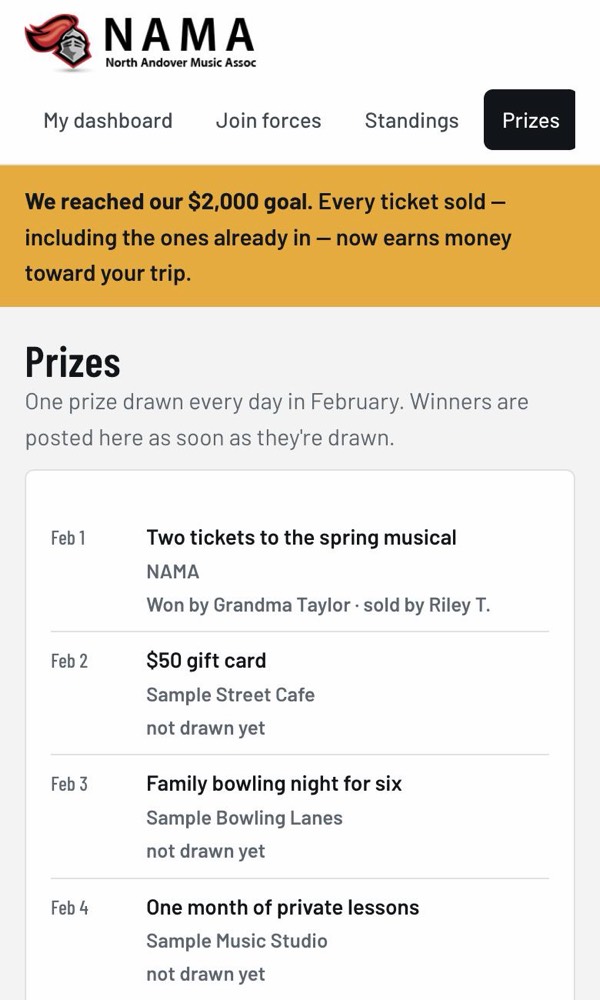
Tap Prizes to see the prizes. One prize is drawn every day in February, and winners are posted there once they’re drawn. It’s a great page to show buyers.
8. What buyers see
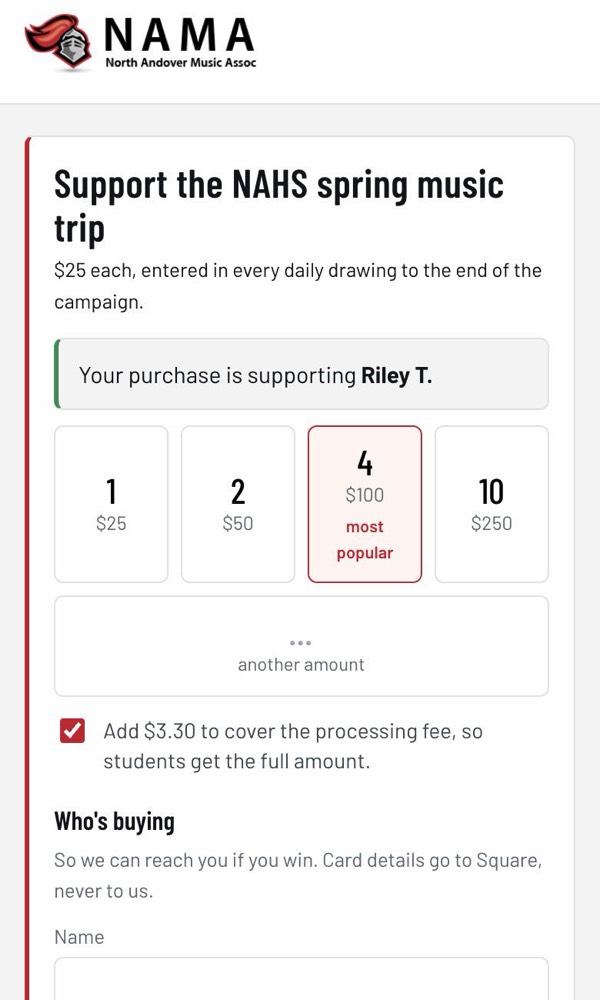
Buyers don’t need an account. When someone opens your link, they see who they’re supporting, pick how many tickets they want, and pay by card.
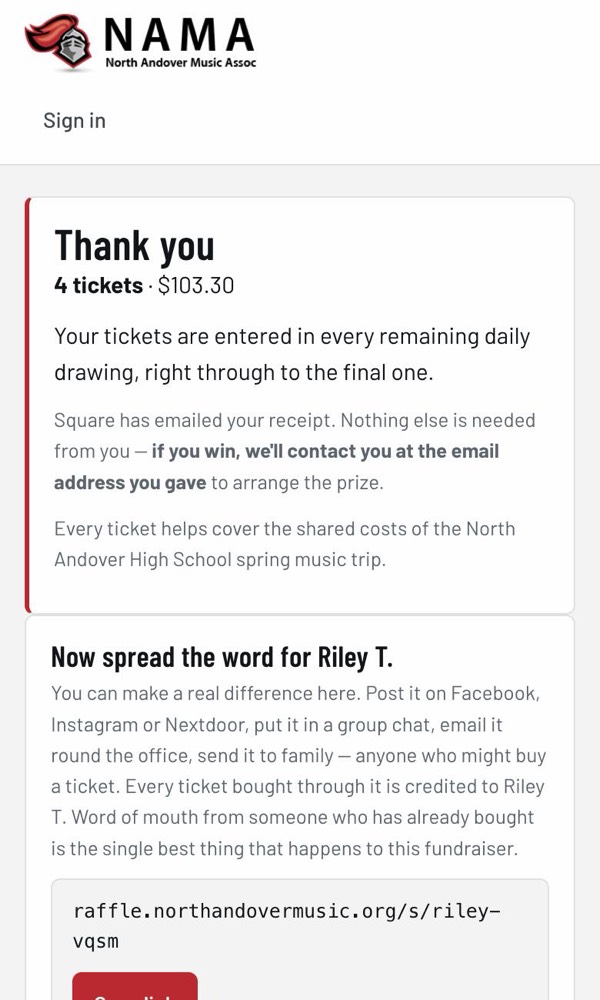
- Buyers get a receipt by email from Square, our card processor.
- If a buyer wins a prize, NAMA contacts them at the email they gave.
- If someone types your code at checkout instead of using your link, the sale still counts for you.
9. Change your name or privacy
On your dashboard, tap Edit my info. You can change your name, how you’re shown on the standings, and your answer about the trip. Tap Save changes when you’re done.
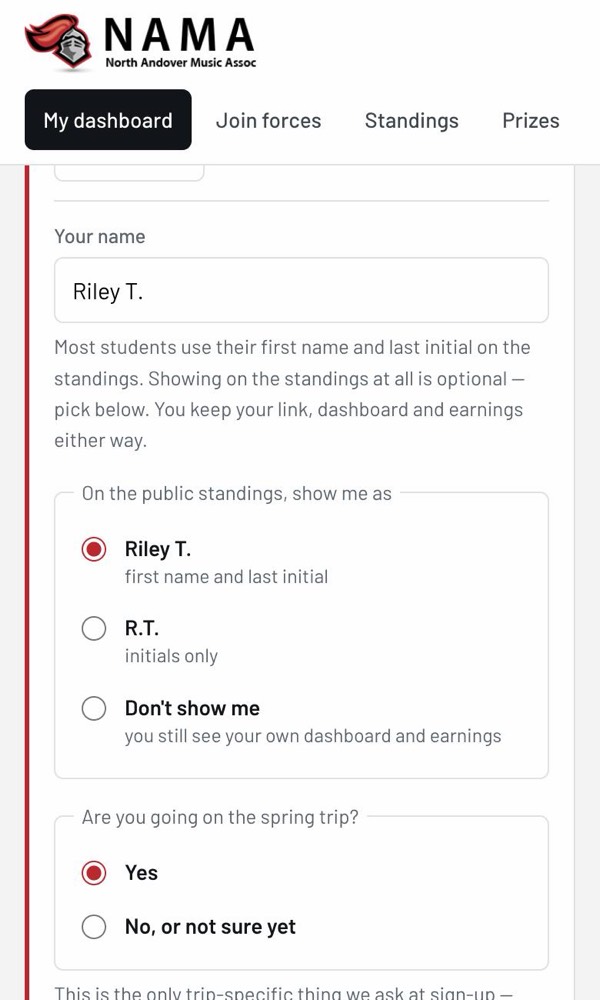
Changing your name or privacy doesn’t change your link or code.
10. Sign out
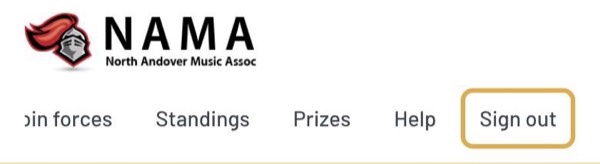
Tap Sign out at the end of the menu at the top (on a phone, you may need to swipe the menu to the left to see it). Sign out if you used a shared or school computer.
11. Join forces (optional)
If you see a Join forces tab, it’s an optional way for a few students, such as siblings, to share one link and QR code. Sales through the shared link are split evenly among the group.
See Join forces help for how it works.
12. Questions and problems
I didn’t get the sign-in email.
Wait a minute, then check your spam or junk folder. Make sure you typed your school email correctly. Then ask for another link.
The sign-in link doesn’t work.
Links expire after 24 hours and only work once. Go to raffle.northandovermusic.org and ask for a new one.
It says “Use your school address.”
Only school emails ending in @northandoverpublicschools.com
can sign in. Use that one, not a personal email.
Someone bought tickets but I don’t see the sale.
Sales usually show up within a few seconds. If it still isn’t there, the buyer might not have used your link or code. Ask a NAMA volunteer to check. They can move a sale to the right student.
Why are my earnings a dash?
Nobody earns money toward their individual trip expenses until the group goal is reached. Your tickets still count, and once the goal is reached, your earnings appear.
Why did my earnings change when I didn’t sell anything?
Earnings depend on how much everyone has raised. When other students sell tickets, each ticket earns more, and that includes yours.
Can I use more than one device?
Yes. Sign in on each device with your school email. It’s the same account everywhere.
I still need help.
Ask your music director or a NAMA volunteer.