
Join forces
An optional way for a few students to share one link.
1. What it is
Say you and your brother are both selling tickets. Instead of asking family to choose between two links, you can join forces and share one link and QR code.
- Tickets bought through the group link are split evenly between everyone in the group. With two people, each person gets credit for half of each ticket.
- Your share is added to the tickets you sell on your own.
- A group can have up to 6 people. Everyone needs a school email.
2. Invite someone
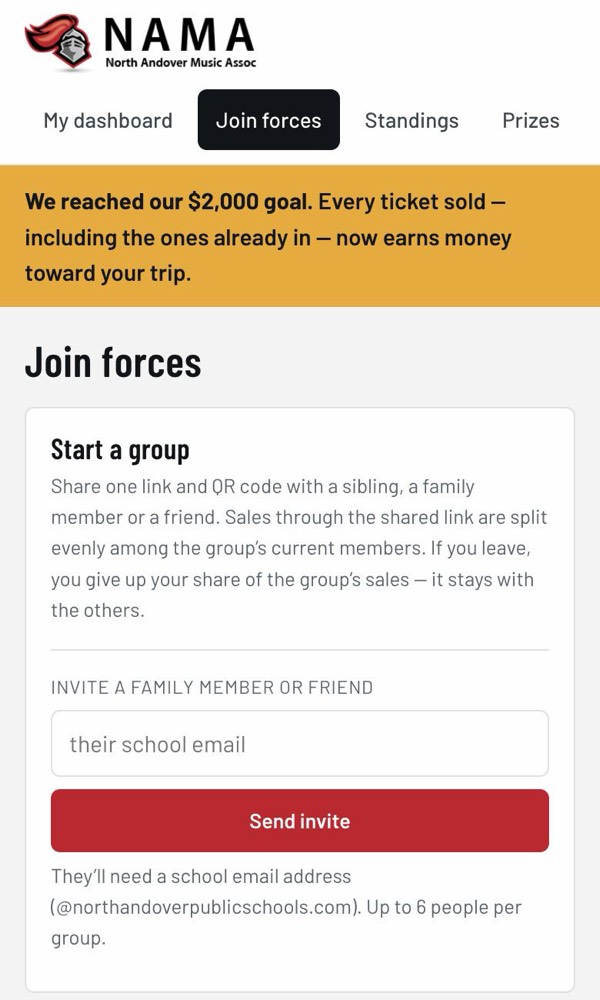
- Tap Join forces at the top of the site.
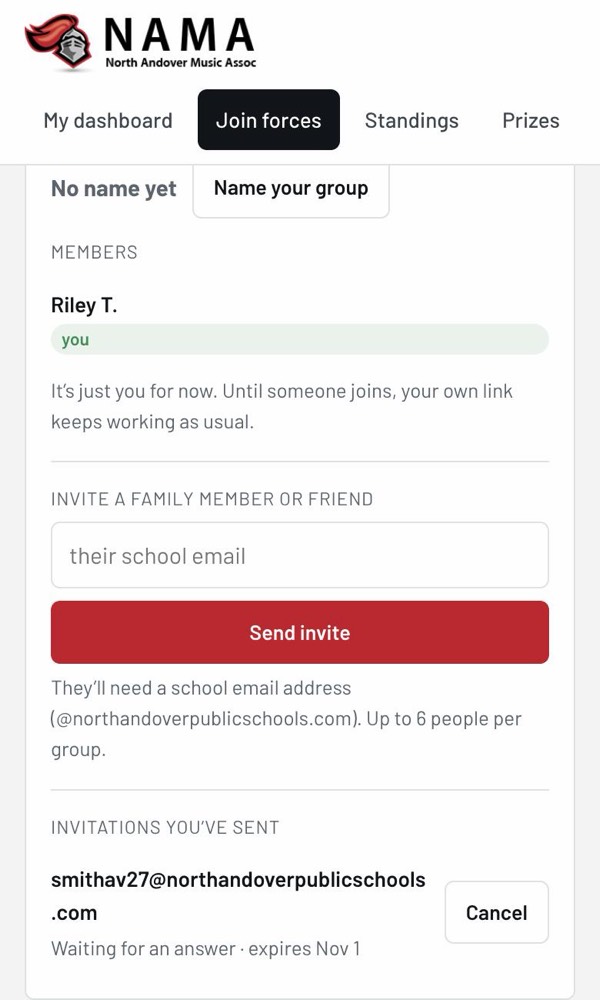
- Under Invite a family member or friend, type their school email and tap Send invite.
- They get an email. The invitation waits for them for 14 days. You can cancel it while it’s waiting.
You can also tap Name your group to give it a name, like “the Smith Family”. Buyers see this name.
3. Accept an invitation
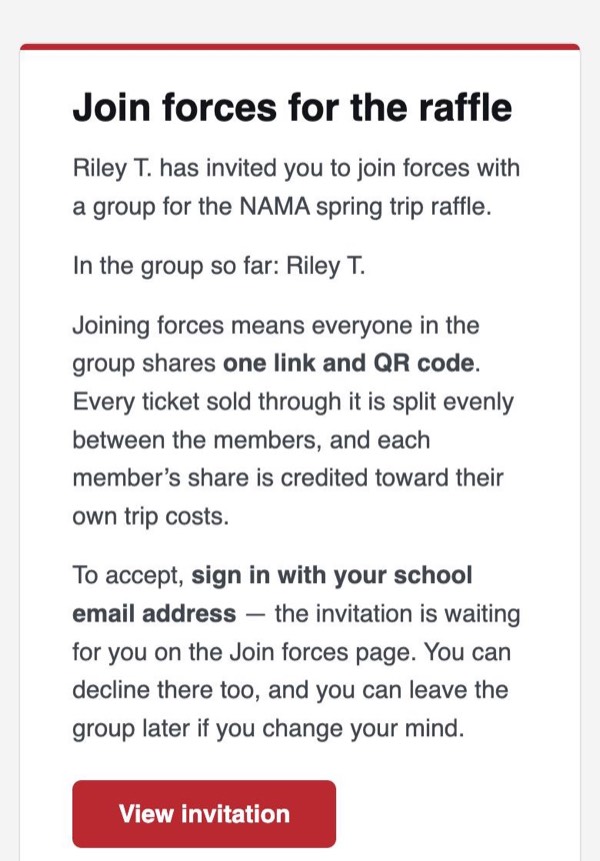
- Open the invitation email and tap View invitation.
- Sign in with your school email if you aren’t already.
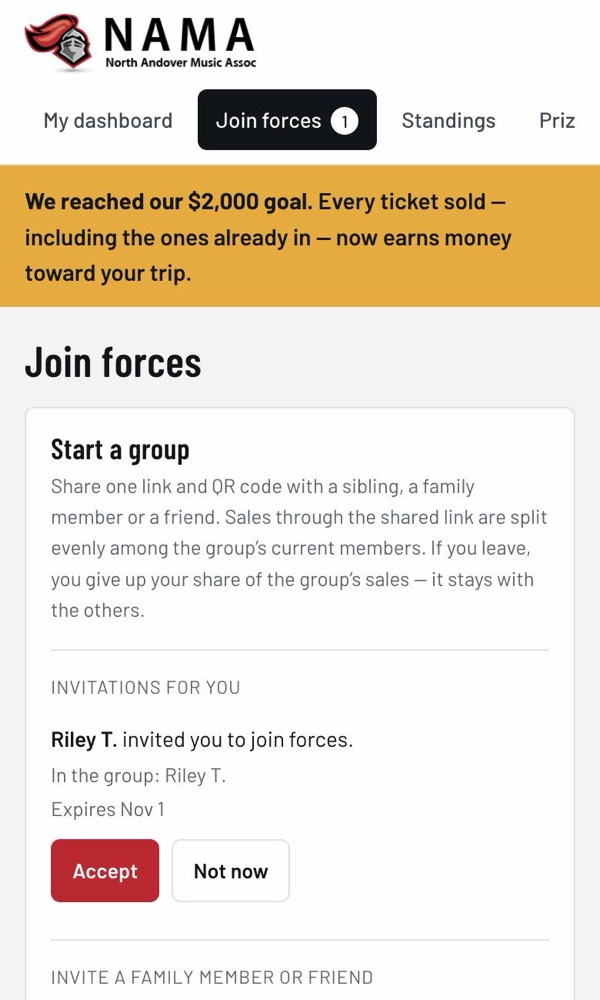
- Tap Accept. Or tap Not now to say no.
If you haven’t signed up yet, that’s fine: sign up first, and the invitation will be waiting on the Join forces page.
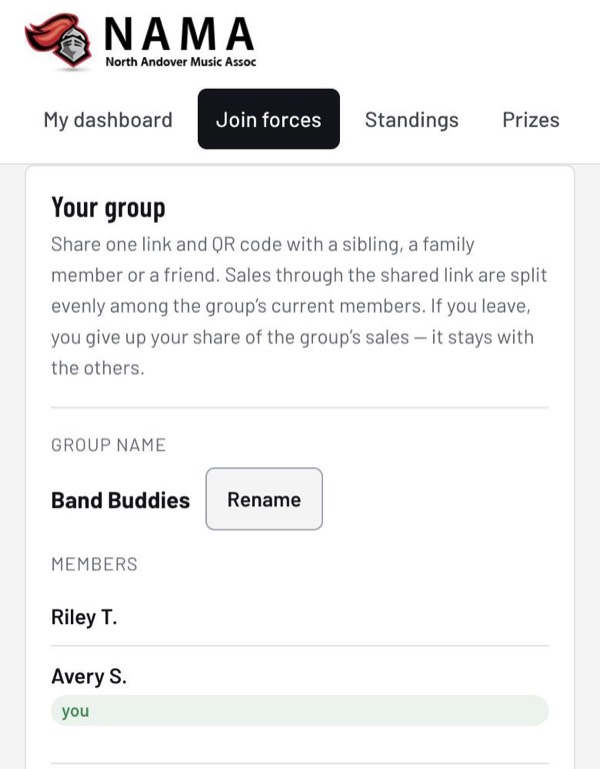
4. Share the group link
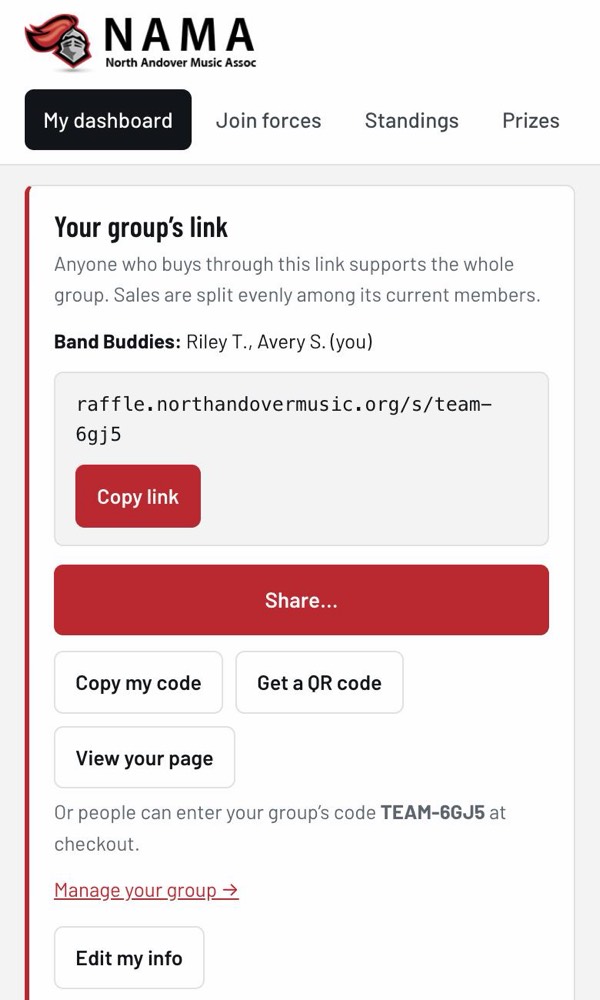
Once a group has two or more people, your dashboard shows your group’s link instead of your own. Share it the same way: copy, share, code, or QR code.
If you already gave out your own link before joining, don’t worry. While you’re in the group, sales through your old link count for the whole group too.
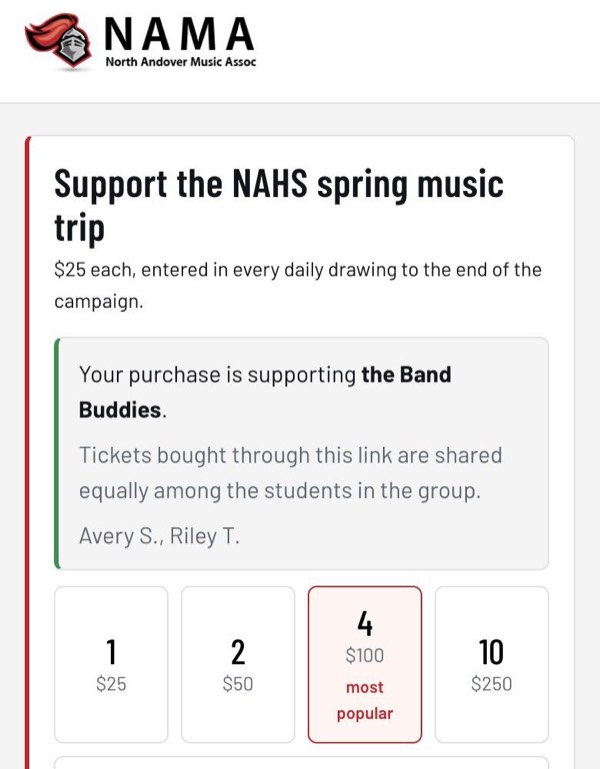
On your dashboard, your ticket count shows both parts, for example “5.5 (3 yours + 2.5 group share)”.
5. Leave a group
On the Join forces page, tap Leave group.
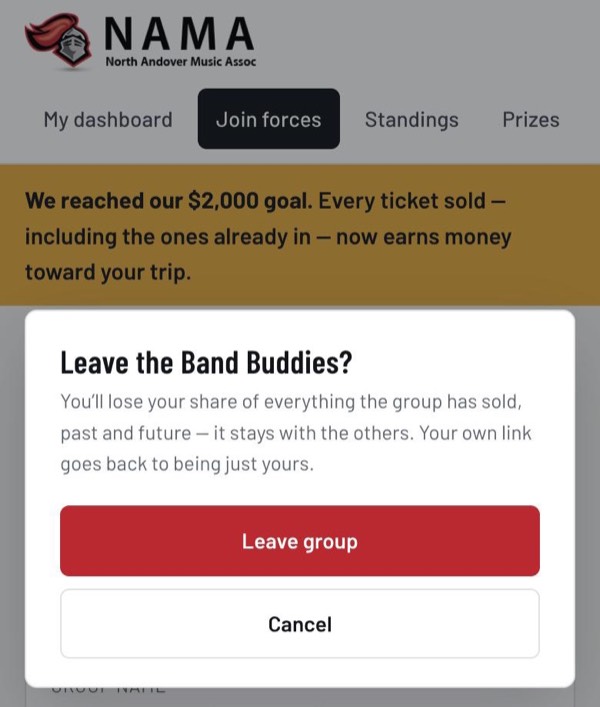
6. Rules and special cases
- One group at a time. If you accept an invitation to a new group, you leave your old one, and the site tells you what you’ll lose before you confirm.
- The split always uses the people in the group right now. If someone joins, they share in everything the group has sold, even earlier sales. If someone leaves, the rest share it.
- The last person can’t leave. If everyone else leaves, all the group’s tickets count for you. You can invite others back in, or accept an invitation to another group and bring the group’s sales with you (the site asks you to confirm this merge).
- Not going on the trip? You can still be in a group and help it sell, but you don’t get a share.
- Group limits: up to 6 people, counting invitations still waiting for an answer.
- Need something changed that you can’t do yourself? Ask a NAMA volunteer or your music director.